Author+
Write a book and keep it straight.
FreeOn the Microsoft StoreVersion 1.2For Windows PCs
What it is
Author+ holds a book’s chapters, characters, timeline and plotlines in one tree, with a real editor for the manuscript. It shows where each character and plotline is introduced, where it runs, and where it resolves.
An optional AI editor summarises chapters, looks at pacing and tension, and suggests rewrites in your voice, using your own key. The book is a folder of plain files on your own computer.
New in version 1.2: make a video for YouTube from any chapter, or the whole book — each paragraph on the screen while it is read — and find everything made from the book on one page, Generated Audio/Video. Watch the example below.
Version 1.1 added the voices: hear any chapter read aloud, a narrator and a voice for each character, and turn the book into an audiobook.

After it installs, open it from the Start menu. Start a new book, or import chapters you already have from Word, text or Markdown.
Six ways to look at a chapter
The chapter editor has six modes, one click (or Ctrl+1 to Ctrl+6) apart. The text stays the same; what is shown beside it changes.
- Write — the editor, and nothing else.
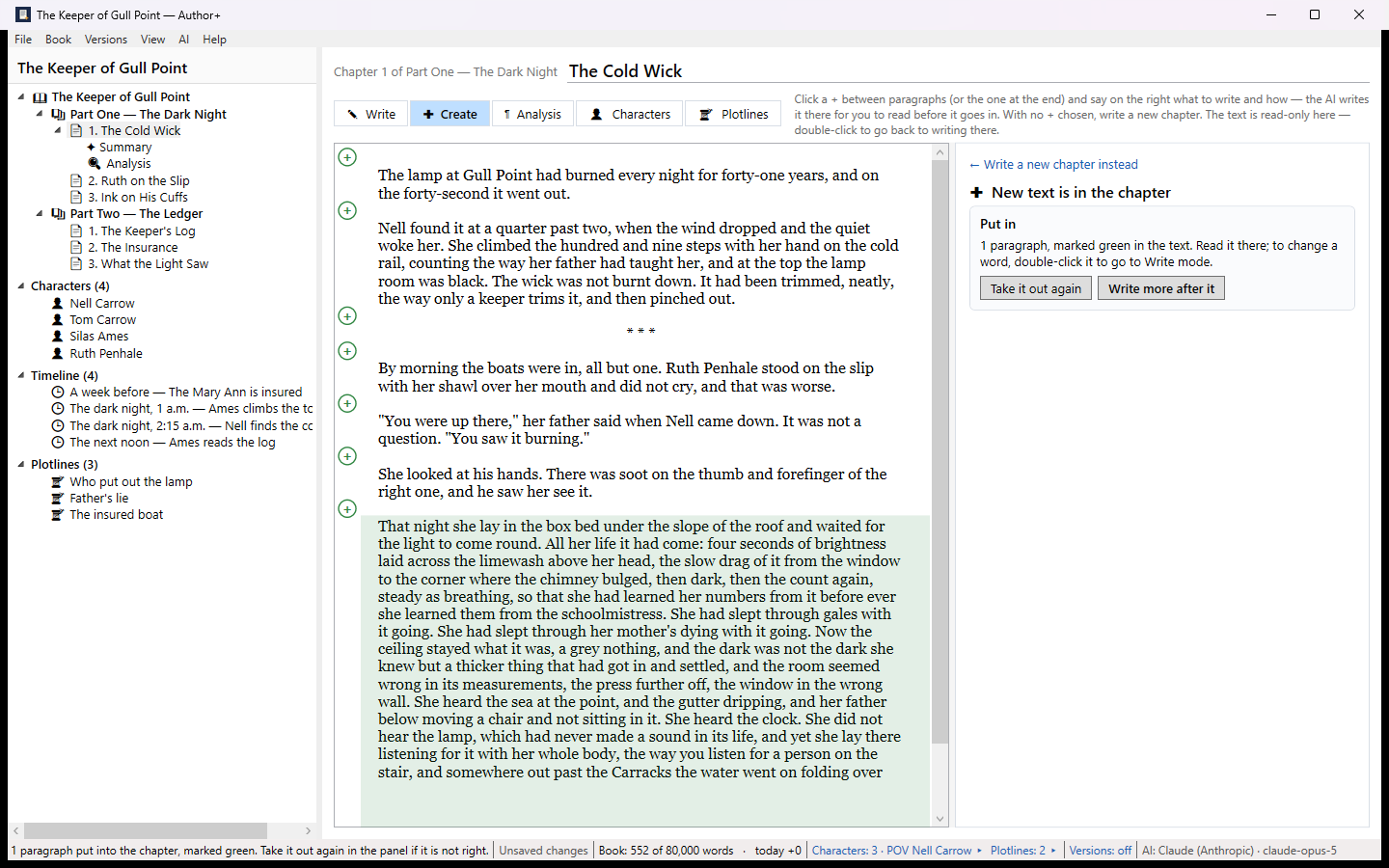
- Create — click a + between two paragraphs, say what should happen and how it should be written, and the AI writes it there in your voice. You read it before it goes in. Or have it draft a whole new chapter. The styles you describe are kept, to choose again.
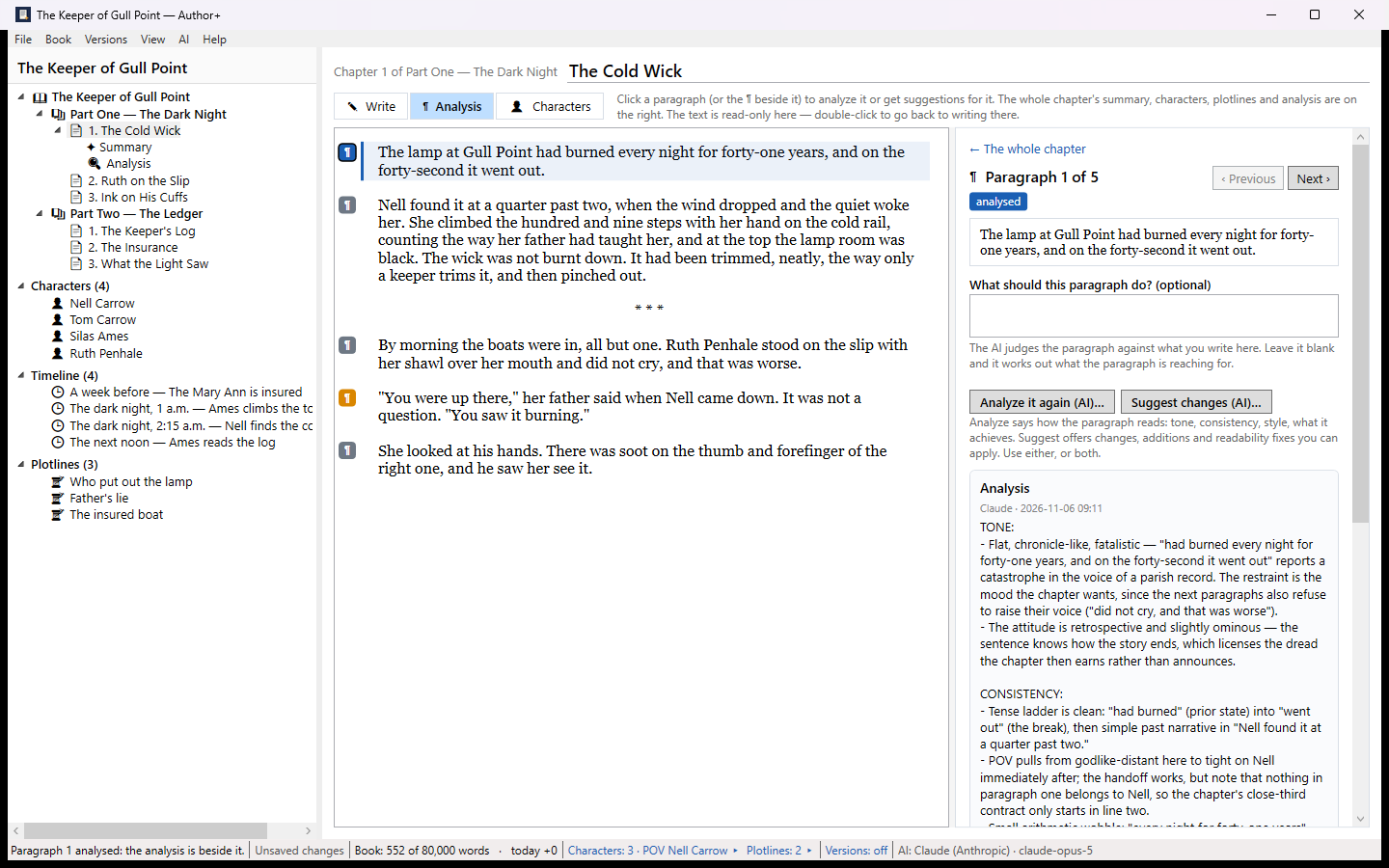
- Analysis — a mark beside every paragraph: an analysis of its tone, consistency, style and what it achieves, or suggested changes you can apply and undo.
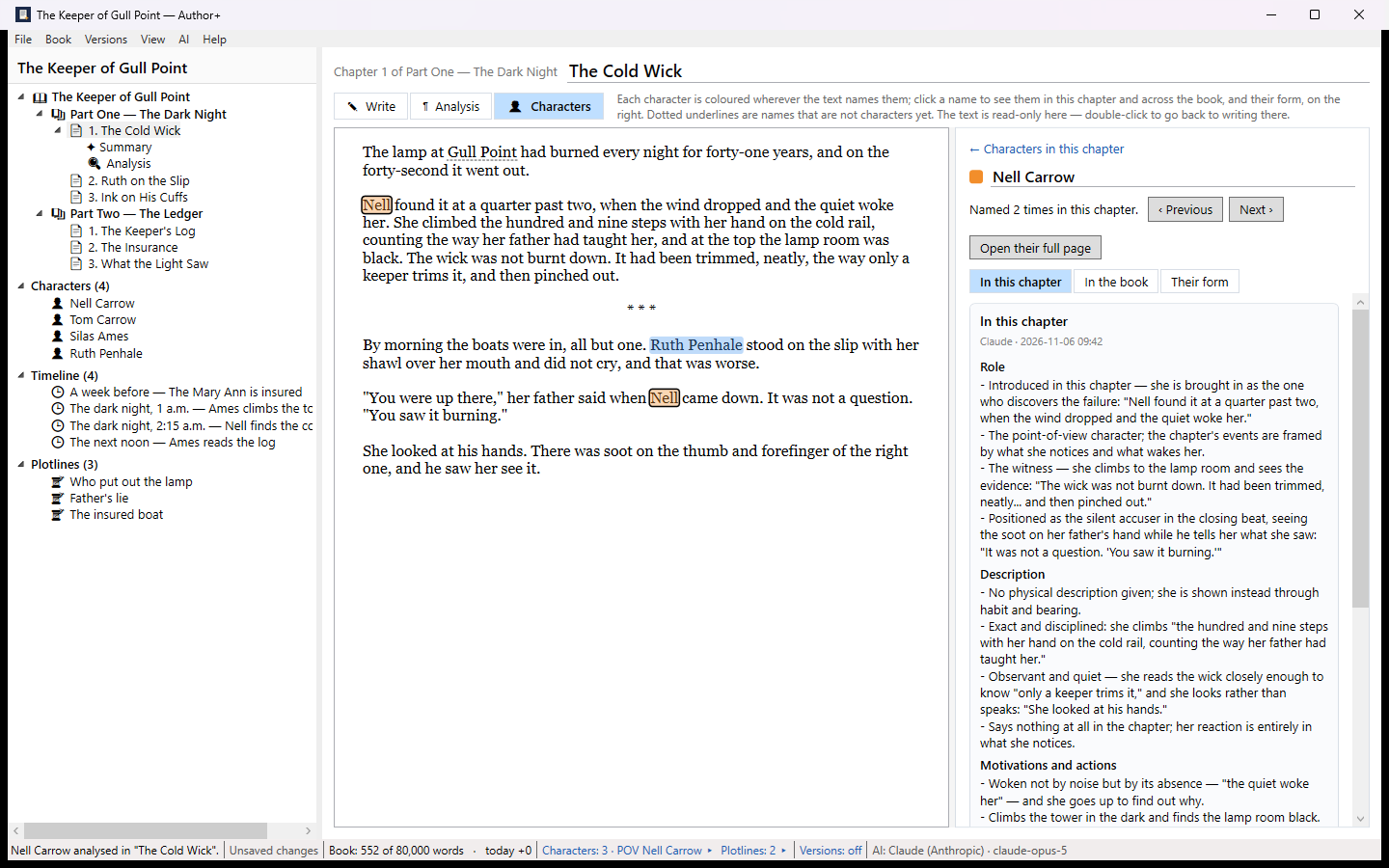
- Characters — every character’s name coloured where the chapter uses it; each one as this chapter shows them (their role here, how they are described, what they want and do) and across the book (their arc, the plotlines they touch).
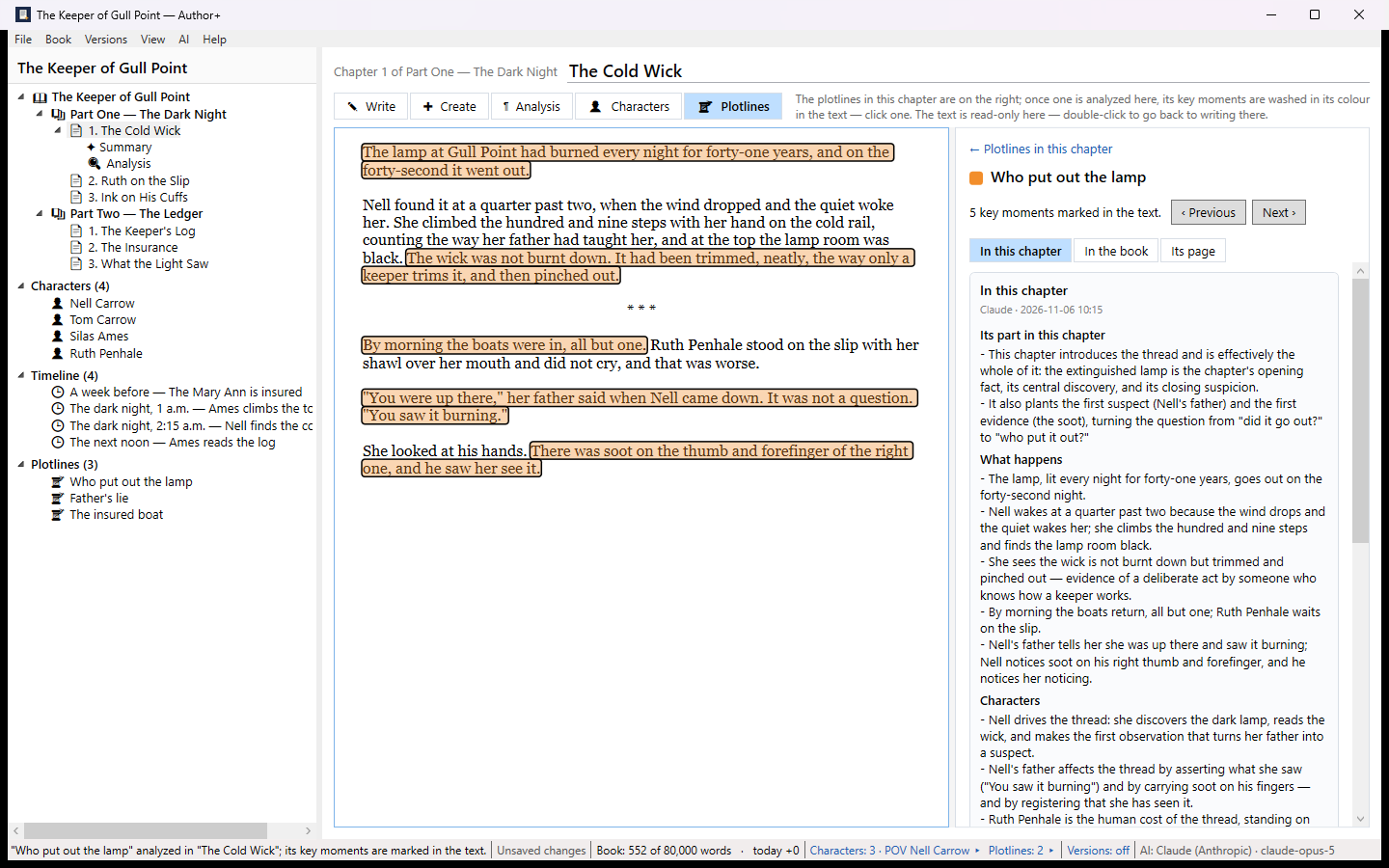
- Plotlines — the threads in the chapter, their key moments marked in the text, and each thread across the book. A character’s own story can be a plotline.
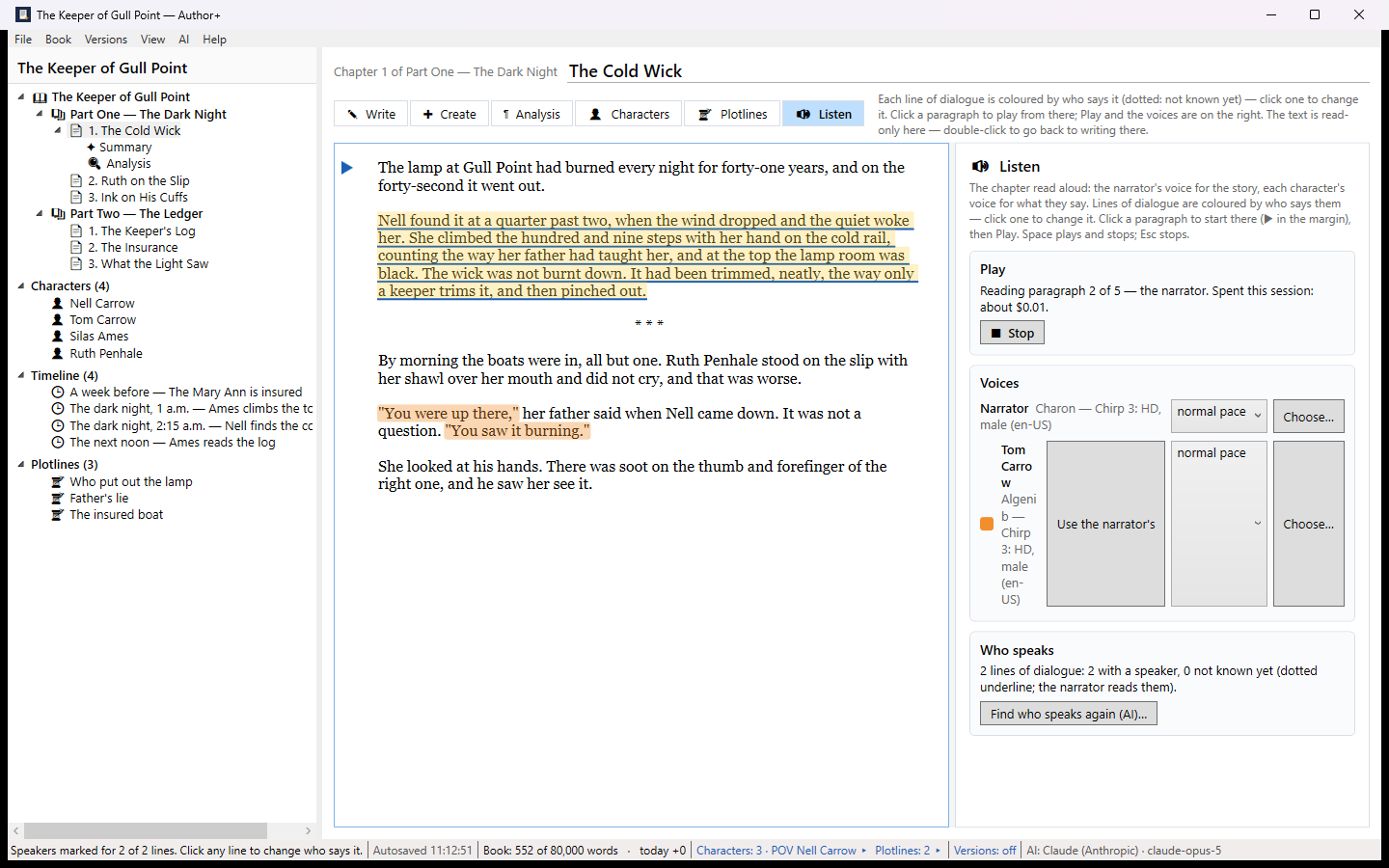
- Listen — the chapter read aloud, highlighted as it is read.
Hear it, and make the audiobook
Choose a narrator and give each character a voice of their own, from Google’s natural voices (with a Google key of your own). The AI marks who says each line of dialogue; you change any it gets wrong. Play from any paragraph. When a chapter sounds right, approve it for the audiobook.
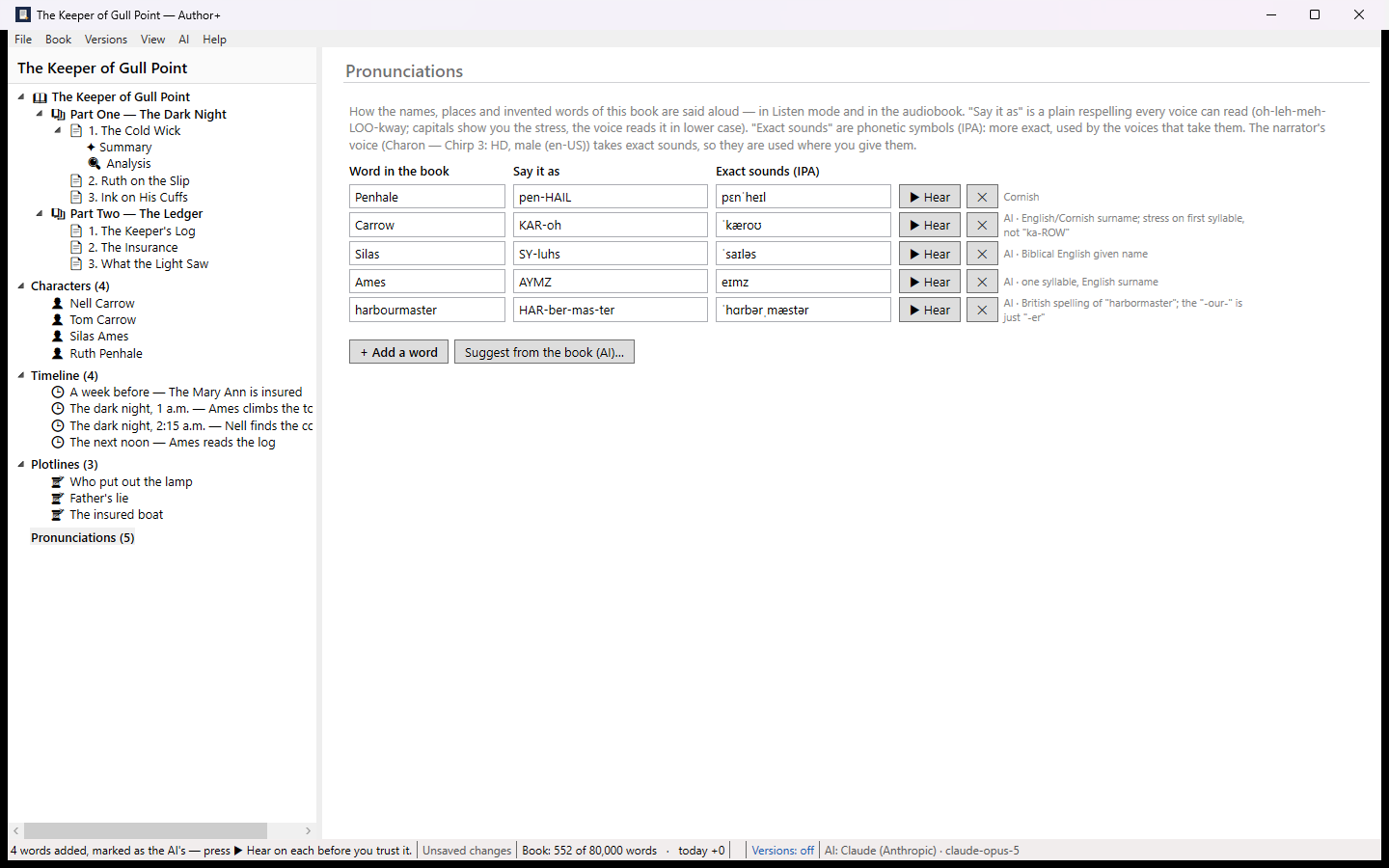
A pronunciation list, drafted by the AI and heard before you keep it, makes the voices say your invented names your way. Then File › Export › Audiobook makes an MP3 for every chapter at the standard the audiobook stores ask for, opening and closing credits, and one M4B file with chapter marks. You see what it will cost before anything is made, and nothing heard once is paid for again.
A video for YouTube
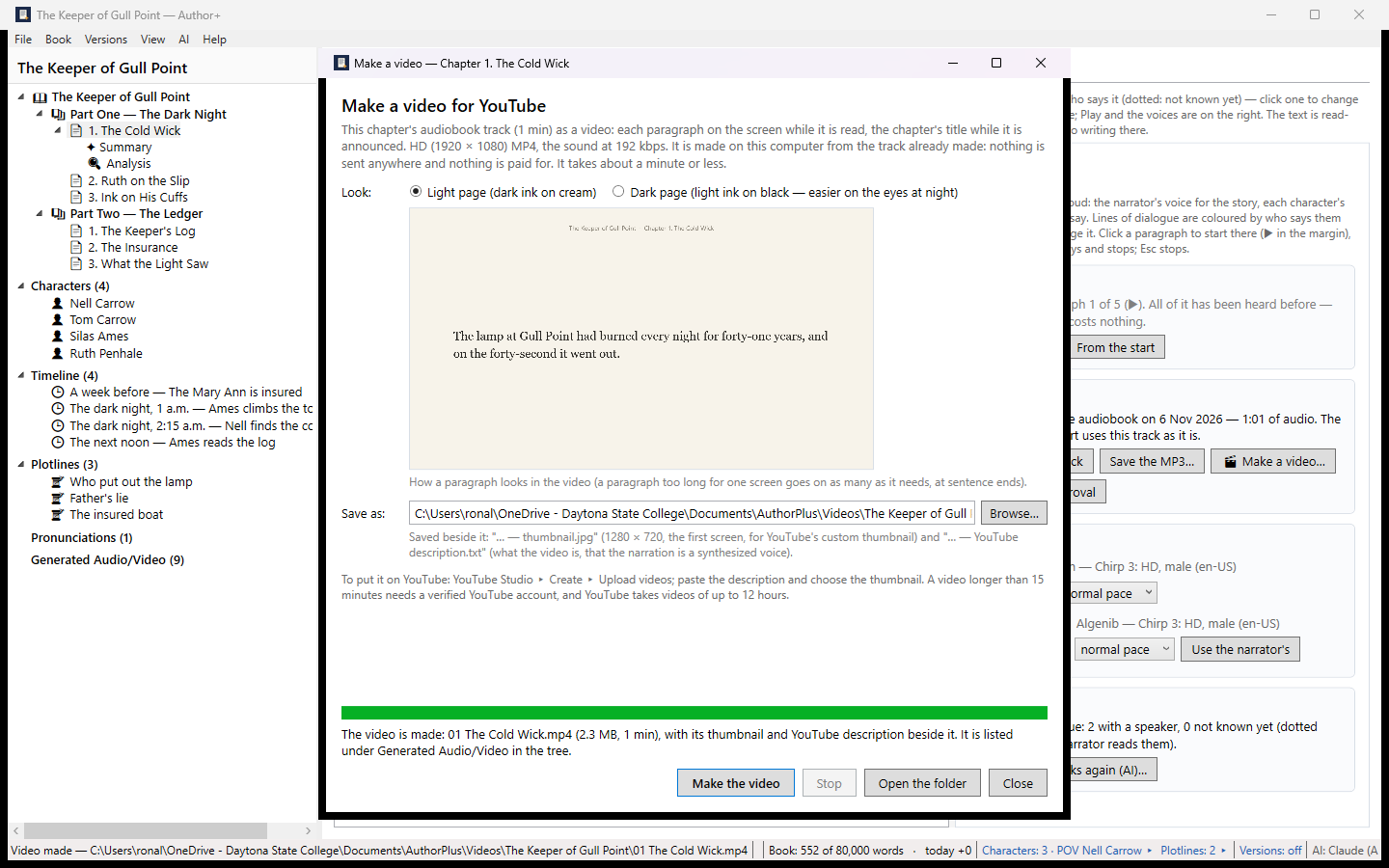
In Listen mode, Make a video… turns a chapter’s audiobook track into a video: each paragraph shown on the screen while it is read, with the book’s title and the chapter’s. Or make one of the whole book from File › Export. It is made from tracks already made, so it costs nothing more. Author+ also writes a thumbnail and a YouTube description to paste in.
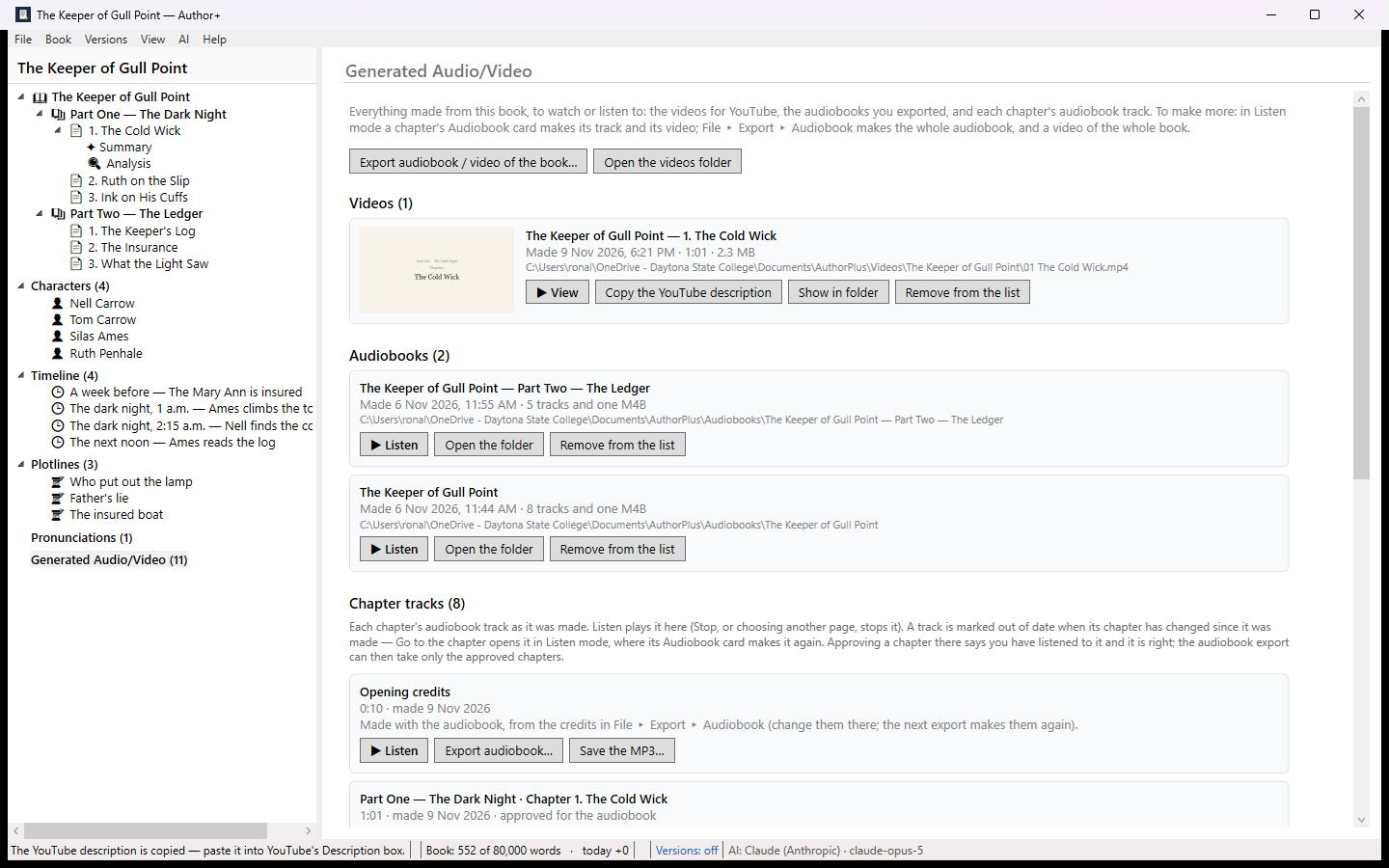
Generated Audio/Video, at the foot of the tree, lists everything made from the book — videos, exported audiobooks and every chapter track — with when each was made, which tracks are approved, and which have changed since. View or listen to any of them from there.
Example: The Keeper of Gull Point
A short sample book in two parts, written and read with Author+ 1.1; the video above was made from it with 1.2. The narration and every character’s voice are synthesized voices from Google; nothing was edited after the export.
- The whole audiobook as one M4B file (2 MB, 4 minutes, six chapters with chapter marks; opens in Apple Books, VLC and most audiobook players). Its chapter list.
- The book itself, as an Author+ project file (21 KB). In Author+, choose File › Import Project and open it: the chapters, characters, plotlines and every saved version. Listen mode needs your own Google key to play it.
What it looks like
What you can do
- Chapters, characters, timeline and plotlines in one tree.
- An editor with headings, scene breaks, find and replace, word goals and a distraction-free mode.
- Import from Word, text or Markdown. Export as Word, a typeset PDF, EPUB or Markdown.
- Take the whole book, with every saved version, to another computer and back as one project file (File › Export Project and Import Project). Author+ tells you which copy is newer and never deletes the one it replaces.
- Charts of where each character or plotline is introduced, appears, and leaves or resolves.
- AI summaries, analysis (pacing, tension, point of view, dialogue, continuity) and rewrite suggestions shown side by side with your text.
- Hear a chapter read aloud, approve it, and export the book as an audiobook: MP3 chapters at the stores’ standard and one M4B with chapter marks.
- Make a video for YouTube from a chapter or the whole book, with a thumbnail and a description, and find every video, audiobook and track made from the book on one page.
- See the exact request, its size and its cost before anything is sent.
- Every version of the book is kept. Go back to any day, and back up to a private GitHub repository.
Who it is for
Novelists and book authors — especially anyone keeping a long book, or a series, consistent.
Privacy
Author+ keeps your book on your own computer, as plain files. It has no account and no tracking. If you turn on AI, you see exactly what will be sent, and it goes only to the AI company you picked. If you use the voices, the words being read go only to Google, with your own Google key, and the audio stays in the book’s folder. Read the Author+ privacy policy.