Windows programs that do one job well.
Make learning games, build a course, check program outcomes, write a book, run statistics, simulate traffic, design for stormwater, turn a story into a video. Each program explains itself as you go. Nine are on the Microsoft Store now, and more are coming. There are Android apps and websites too.
Thirteen programs so far, and room in the plus for seven more.
For teaching
For teachers, instructional designers and the people who look after a college program. For free course materials, see the Florida Course Repository.
-

Gamify+
Make learning games as ordinary web pages. Pick a kind of game, type the questions, and share it.
Free on the Store -
CourseBuilder+
Build a whole course, from outcomes to slides, quizzes and assignments, and export it to your LMS.
On the Store -
Assessment+
Record course and program outcome evidence and produce the reports an accreditation review asks for.
Free on the Store -
LMS-2-Website
Turn a course exported from your LMS into a website, and publish it on GitHub Pages.
Coming soon -

SEAGit
Put a folder on GitHub in one click, with no Git commands to learn. Good for backups and simple websites.
Free on the Store
For engineering and statistics
For students and working engineers. Every result names its method and where the method comes from.
-
Statistle
Statistics for a first engineering course. It writes the Python and R for each analysis, so you can check the work.
Free on the Store -
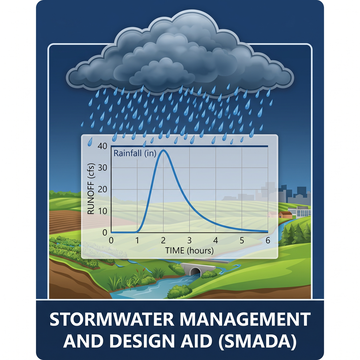
SMADA
Stormwater Management and Design Aid: runoff, design storms, hydrographs, pipes, channels, weirs and regression.
Free on the Store -

TrafficLab+
Turn a real intersection into a web page with a live traffic simulation: students fix it on a budget and hand in a link.
Free on the Store -
Accessibility+
Check a course for accessibility and fix what it finds, seeing every change first; your course is never changed.
Free on the Store
Professional software
Licensed software for working engineers, sold on its own website with training and certification.
-

BMPFast
Stormwater treatment analysis for Florida permitting: how much nitrogen and phosphorus each BMP removes.
Sold at bmpfast.com
For writing, stories and planning
For writing a book, telling a story on video, and working out when you can retire.
-
Author+
Write a book and keep it straight: chapters, characters, timeline and plotlines in one place — then hear it read aloud and make the audiobook and a video for YouTube.
Free on the Store -

VideoStories+
Turn a true story, told to your phone, into a short captioned video with your photos and short animated clips.
Free on the Store -

Retirement+
A retirement “what if?” planner: when to retire, when to claim, and what each choice does year by year.
In development
Classes
Websites for Dr. Eaglin’s engineering and computing classes, each one a whole course built with CourseBuilder+. Open to read, no sign-in.
Other projects
Android apps for racing, maps and fitness, and the websites that go with them.
-
PunchMonkey
The racer app for checkpoint races and scavenger hunts. No Android phone? Race in the browser.
Free on Google Play -
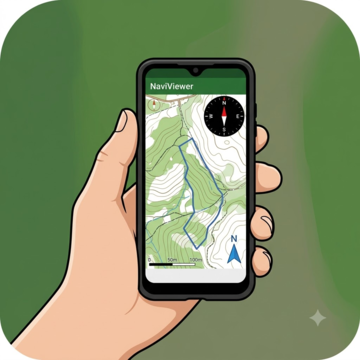
NaViViewer
An orienteering map viewer: a paper map, on your phone.
On Google Play -

EasyPeasy GPX
Record GPS tracks and waypoints, then export a GPX file.
Free on Google Play -
Any 6 Fitness Tracker
Complete any six of your exercises each day.
Free on Google Play -
App Opener and Timer
Open a checklist of apps on a timer.
Coming soon -
PunchMonkeyServer
The website that runs PunchMonkey races and live results.
Website -
Florida Course Repository
Free course materials (open educational resources) for Florida college courses.
Website
Created by Dr. Ron Eaglin
Ron Eaglin is an engineer and a teacher. He writes these programs for his own students and colleagues first, then puts them on the Microsoft Store for everyone. Each one comes out of real work: SMADA goes with the textbook he co-wrote, Hydrology: Water Quantity and Quality Control, Statistle follows his engineering statistics course, and Gamify+ plays card games he designed.
They share a few habits. The Windows programs keep your work on your own computer, in plain files, with no accounts and no ads. Where a program can use AI, it is optional and uses your own key, and you see what will be sent before it goes.