The game types
A game type is a kind of game. It decides how a game plays, what the Content tab asks you for, and what the page says to a player. You choose it in the Game type row of a game's Properties tab.
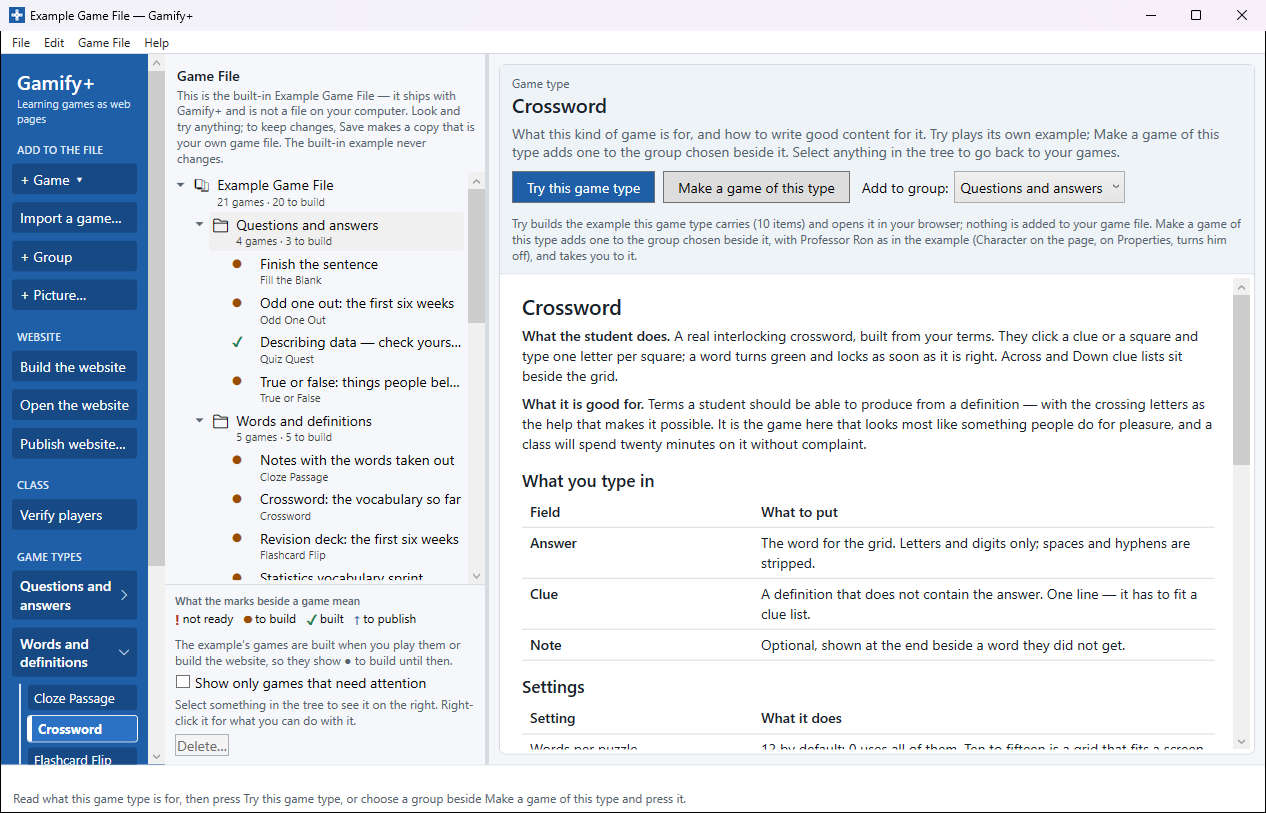
Choosing a game type: GAME TYPES, on the left
At the bottom of the blue strip on the left of the window, GAME TYPES lists every kind of game under five headings: Questions and answers, Words and definitions, Matching, sorting and ordering, Card games and 3 Dimensional Games. Press a heading to open it, then choose a type. Its page shows on the right — what it is for and how to write good content for it, the same page as a game's How it plays tab — while the tree of your games stays in view beside it. Then:
- Try this game type builds the type's own example and plays it in your web browser straight away, with nothing typed in; nothing is added to your game file.
- Make a game of this type adds a game of that kind to the group chosen in Add to group, beside it — at first the group selected in the tree — and opens it on Properties.
Select anything in the tree to go back to your games. To add a game when you already know its kind, + Game ▾ at the top of the blue strip lists the same types under the same headings (see Making a game). The folders the types are made of open from Edit ▸ Settings… ▸ Open my game types folder (see Sharing game types).
The version on the Microsoft Store today (1.1.0) shows the game types in a Game Types section, one of five sections along the top of the window, which hides your games while it is open. Gamify+ 1.2, coming soon, puts them on the left, beside the tree.
Below, the types that come with Gamify+, under the same headings as GAME TYPES and the groups the Example Game File puts them in, with a picture of one game from each group as a player sees it. Every game can be played by clicking alone — nothing has to be dragged, because dragging is awkward on a phone, impossible from a keyboard and hard with an unsteady hand. Most types draw a random selection when there are more items than the "per game" setting, so a game is worth replaying.
Questions and answers · Words and definitions · Matching, sorting and ordering · Card games · 3 Dimensional Games
Questions and answers
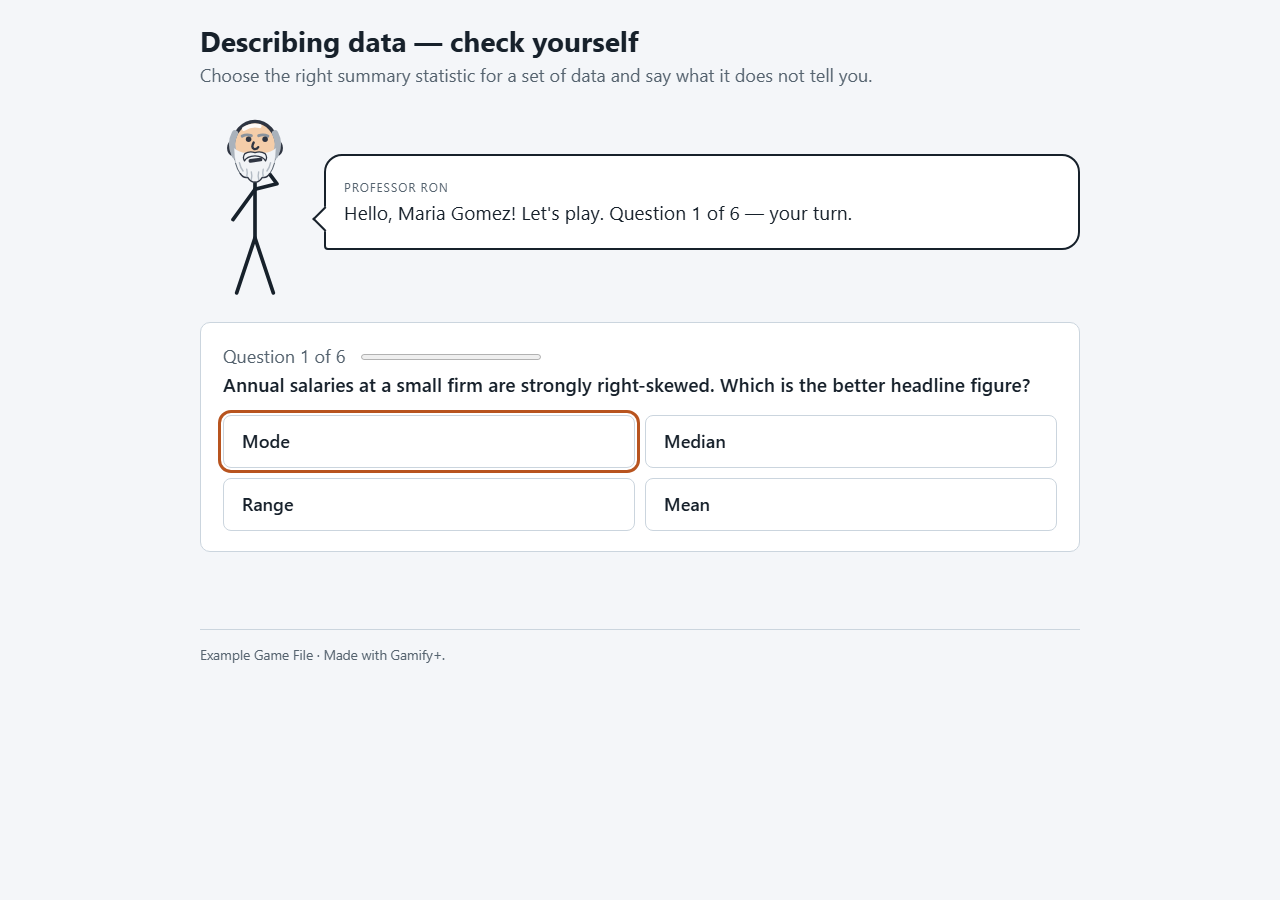
Quiz Quest
How it plays: one multiple-choice question at a time. The player clicks an option and is told straight away whether it was right, with your explanation. At the end: the score and every question with a tick or a cross.
Good for: anything where the wrong answers are interesting — telling one idea from a neighbouring one, reading a graph, choosing the right formula.
You type: the Question, two to six Answer options (one per line), the Correct option (counting from 1), Why (shown the moment they answer — do write it), and an optional Picture. Settings: random order, shuffle the options, questions per game.
True or False
How it plays: a statement with two buttons. The player presses True or False and is told at once whether they were right, and why.
Good for: misconceptions — the things students half-believe. A statement that sounds right and is not is worth five ordinary questions.
You type: the Statement, True or false (type true or false), Why, and an optional Picture. There is a timer setting, off unless you turn it on: a countdown pushes players to guess and penalises slow readers.
Fill the Blank
How it plays: a sentence with one word missing. The player types the word — or, if you turn choices on, picks it from four buttons — and sees the sentence completed.
Good for: a term that only means something in context.
You type: the Sentence with ___ where the word goes, the Missing word, Also accept (other answers that count, one per line) and Why. With choices on, the wrong buttons are the answers to the other sentences, so eight or more sentences work best. Typing is marked loosely: capitals, spaces, punctuation and accents are ignored.
Odd One Out
How it plays: four things; three belong together and one does not. The player clicks the odd one and is told — right or wrong — what the rule was.
Good for: making players find what a group has in common. Quick to play and to write.
You type: The things (three to six, one per line), Which one does not belong (counting from 1), What the others have in common (required — it is the lesson) and an optional Why. Check that no second rule would make a different one the odd one out.
Words and definitions
Flashcard Sprint
How it plays: a definition or clue appears and the player types the term. Two tries by default, with your hint after the first miss; then the answer and the next card.
Good for: anything a player must produce rather than recognise — vocabulary, notation, names of parts.
You type: the Term, the Definition or clue (so exactly one term fits), Also accept (abbreviations, plurals, synonyms), a Hint and an optional Picture. A misspelling is marked wrong, so fill in Also accept and play it once yourself.
Flashcard Flip
How it plays: a card shows a term or question. The player answers in their head, flips the card and marks themselves I knew it or Not yet. "Not yet" cards come round again until the deck is done.
Good for: practice and revision. The player marks themselves, so its result shows they went through the deck, not that they knew it — use it for taking part, and a Flashcard Sprint to check.
You type: the Front of the card, the Back of the card, and an optional Picture.
Cloze Passage
How it plays: a short page of notes with words missing. The player types each word into its box; a box turns green and locks the moment it is right. A wrong box is never marked red. Finished ends it; Show me the ones I am missing fills in the rest without awarding them.
Good for: making a player read a passage properly; a revision sheet they can keep.
You type: an optional Heading, the Passage with [square brackets] round every word to remove ([median|the median] accepts either; the first is shown as the answer), and an optional Note. Eight to fifteen blanks is about right.
Crossword
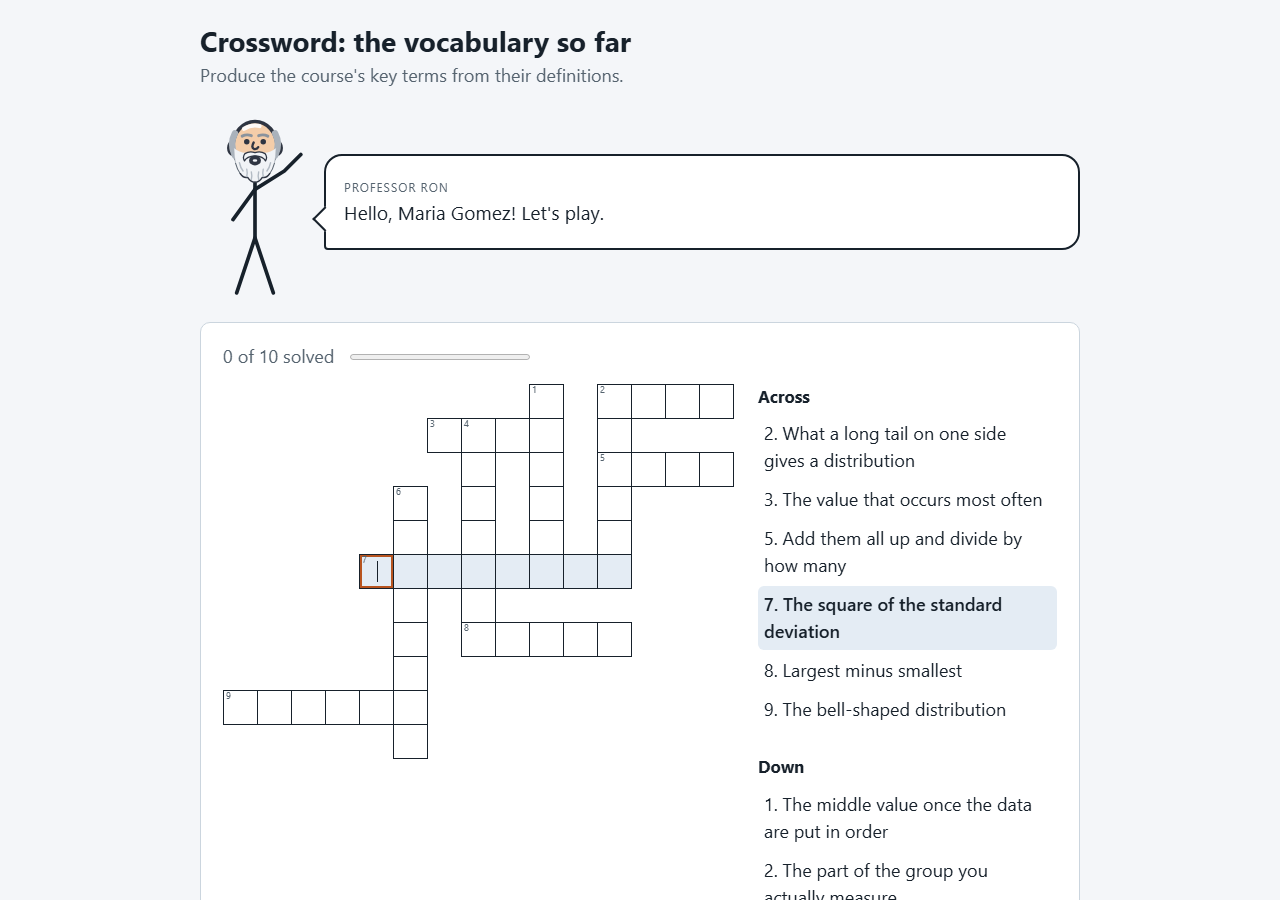
How it plays: a real interlocking crossword with Across and Down clues. The player clicks a clue or a square and types; a word turns green and locks when it is right. I am done — show me the rest fills in the remainder. It works entirely from the keyboard.
Good for: terms a player should produce from a definition, with crossing letters as help.
You type: the Answer (letters and digits only) and a one-line Clue that does not contain it, plus an optional Note. There are no grid positions to type: the grid lays itself out each time. A word that shares no letter with the others is left out of that grid. Single words of four to twelve letters, ten to fifteen of them, work best.
What's the Word
How it plays: a definition and one empty box per letter. The player types the word while the computer fills in the same word beside them, one letter every few seconds. Whoever finishes first scores the difference between the two rows.
Good for: vocabulary that has to be automatic. Playing the computer means nobody loses to a classmate.
You type: the Word (one word, 3 to 14 letters), a short Definition and an optional Note. The setting Seconds the computer takes per letter is the difficulty: 6 easy, 4 medium, 2 hard, 1 expert. It is a timed typing game, which is hard for some players; consider an untimed type for marks.
Matching, sorting and ordering
Concept Match
How it plays: two columns of tiles, both face up. The player clicks an item on the left, then its match on the right. A right pair locks green; a wrong one says so and they carry on until the board is clear.
Good for: anything in pairs — term and definition, cause and effect, event and date. Two minutes to play.
You type: the Item, Its match (both short, to read on a phone) and optional Why they go together. Setting: pairs per game (six fits a phone).
Memory Match
How it plays: a grid of face-down cards. The player turns two at a time; a pair that belongs together stays face up, anything else turns back over.
Good for: revision of pairs players have already met. It tests memory of where a card was as well as the subject, so Concept Match is better for checking.
You type: the Card, Its pair and optional Why they go together. Settings: pairs per game (3 to 10) and how long a wrong pair stays visible. The score is against par: twice the number of pairs.
Category Sort
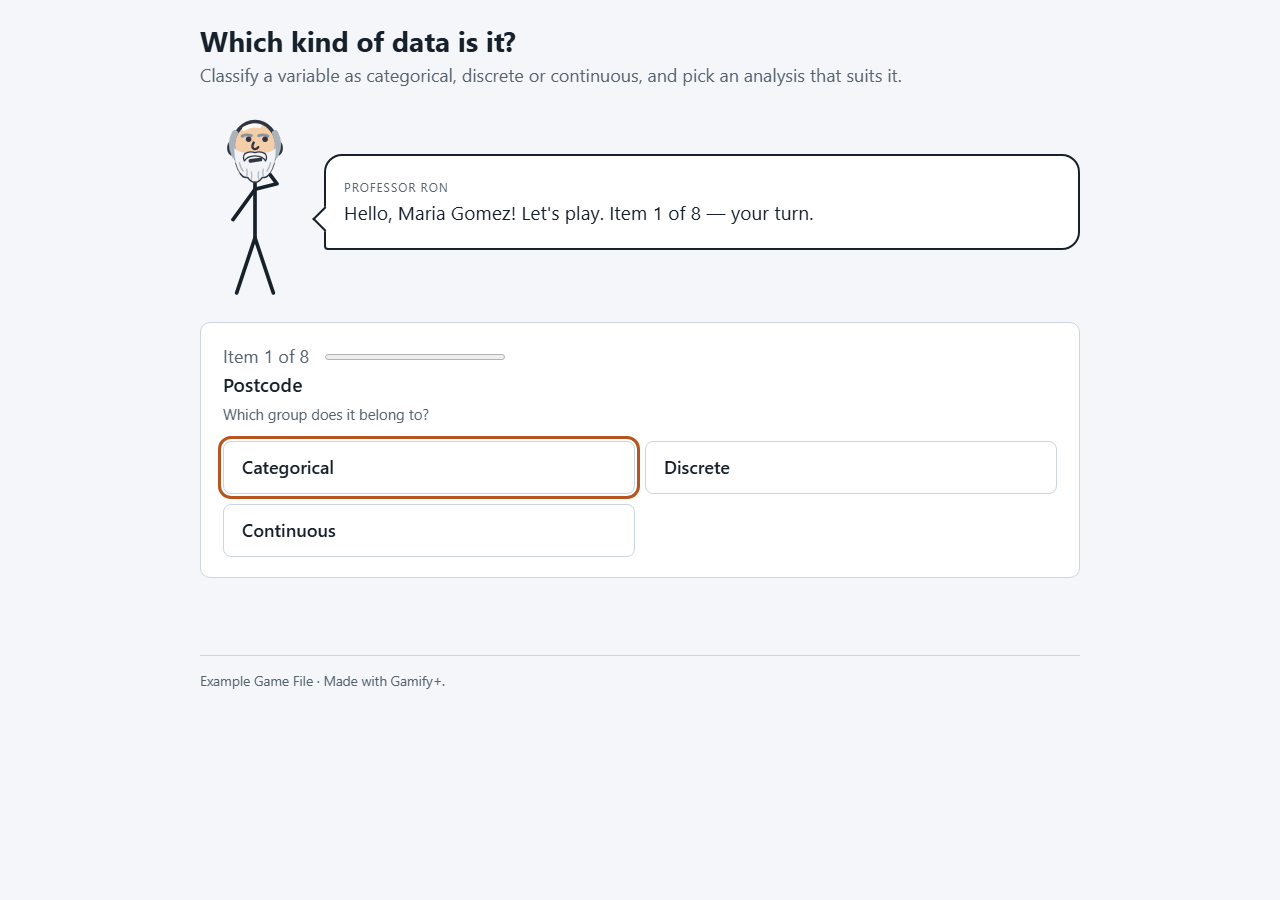
How it plays: an item appears with a row of group buttons. The player clicks the group it belongs to and is told at once whether it was right, with your reason.
Good for: classification of any kind — acid or base, which era, which part of speech.
You type: the Item, the Group it belongs to, Why and an optional Picture. You never type the list of groups: the buttons are made from the names you type, so type each group name exactly the same way every time. Two to five groups work best.
Number Line
How it plays: a value appears above a number line. The player slides the marker to where it belongs — with a mouse, a finger or the arrow keys — and presses Place it. The game shows where it should have gone and how far out they were.
Good for: number sense — fractions against decimals, probabilities, orders of magnitude, dates on a timeline.
You type: What to place (a number, a fraction, an event), Where it belongs (as a number) and Why. Settings: where the line starts and ends, the smallest move, and the allowed margin (5% of the line by default).
Sequence Builder
How it plays: a task with its steps jumbled. The player clicks the steps in the order they think they happen (clicking a placed step takes it back), then presses Check my order. Every step is marked, with where any wrong one should have been.
Good for: procedures — a method, a proof, an experiment, a sequence of events.
You type: What to put in order, The steps, in the right order (one per line, three to eight; the game jumbles them) and Why that order. Do not number the steps yourself.
Card games
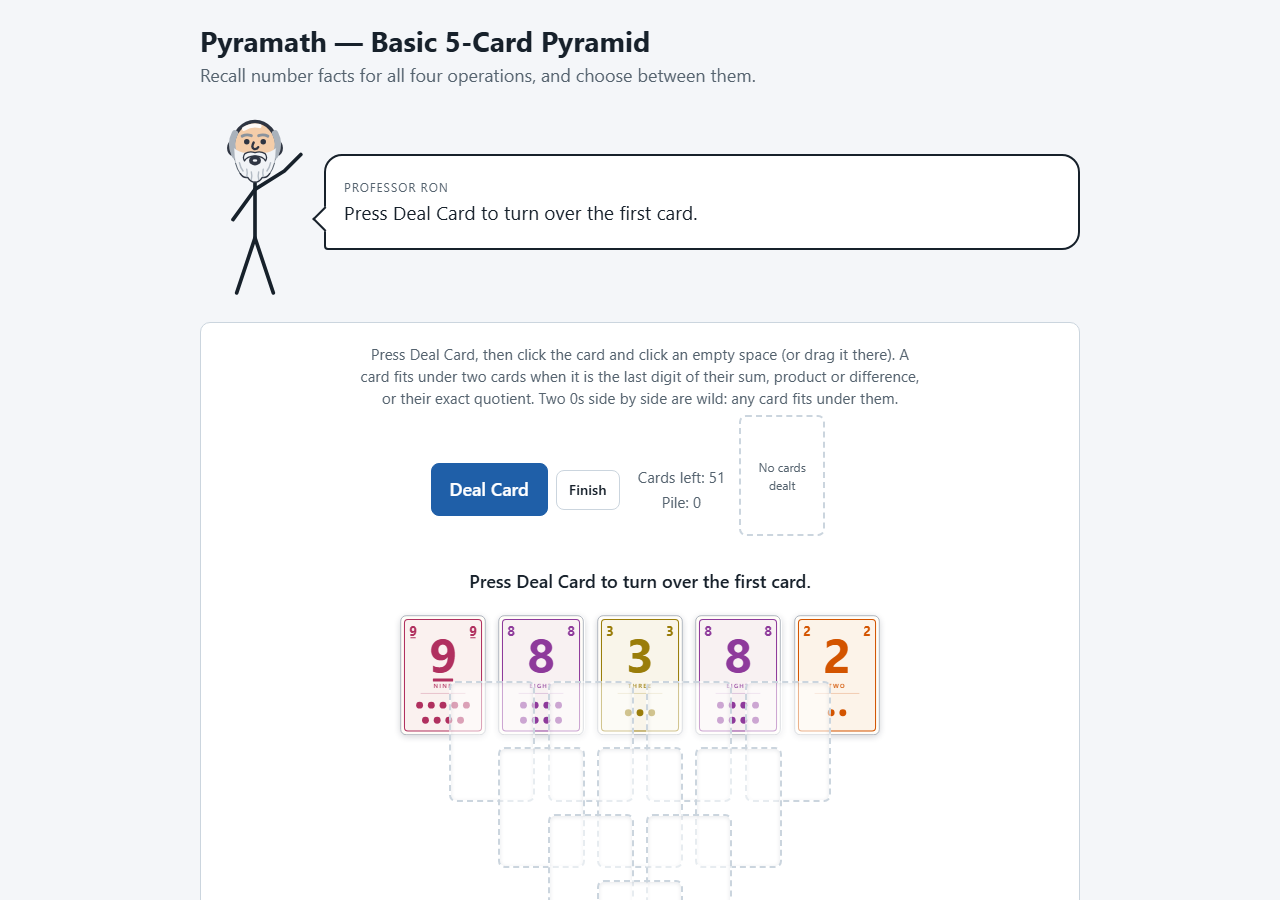
Games played with a deck of cards, and the decks themselves. Each is a starting point: make a game of the type, then press Make my own version on its Revise tab and change it in any way by asking (see AI help). Pyramath, Fractazmic and I See Cards are original game designs by Dr. Ron Eaglin, and their pages say so.
Pyramath — Basic 5-Card Pyramid
How it plays: five cards are dealt across the top, with rows of 4, 3, 2 and 1 empty spaces below — an upside-down pyramid. The player deals cards one at a time and places one in a space when it is the last digit of the two cards above it added, multiplied or subtracted, or their exact quotient. Two 0s side by side are wild. After each play the game shows the fact that made it work. Finish ends a game that is stuck.
Good for: number facts, from about age eight. A game takes five minutes.
You type: the deck — one row per card from 0 to 9 with How many in the deck. The standard deck is 56 cards.
Fractazmic-Rummy
How it plays: a fraction rummy against the computer with the Fractazmic cards, seven each. On a turn the player takes a card — the top of the deck, or any card in the row of discards together with every card thrown after it — then throws one away. Cards of one colour whose fractions add up to exactly 1 are a trick, laid down for a point. It ends when someone has no cards left or 40 cards have been taken from the deck.
Good for: adding fractions with unlike denominators, over and over.
You type: the deck — each Card as its colour and fraction ("Blue 5/12") with How many in the deck. Settings: the countdown, and whether the running sum is shown.
Fractazmic — the deck
Not a game yet: it shows the nineteen Fractazmic cards in three suits (twelfths as eggs, tenths as a litre bottle, sixteenths as an inch of ruler), opens any card large, and says which other cards show an equal fraction. Nothing to type. Use it as the start of a game of your own with Make my own version.
I See Cards
How it plays: a travel game for a phone. Six cards are dealt, each a thing you might see from a car window. When a player sees one, they call it out and double-tap its card to claim its points; they hold down a card to swap it. With more than one child, a grown-up is the judge, and Undo claim takes a claim back. New trip starts again. It never asks for a name and has no result line.
You type: the deck — each Card (the thing to spot) and its Points (1 common, 2 often, 3 now and then, 5 rare). Setting: cards in your hand, 3 to 9.
I See Cards — the deck
The fifty I See Cards cards to look through, open large, and sort by name or points. A card you add with a new name is drawn with its name in large letters. The AI can draft a deck for your own trip.
Solitaire — Klondike
How it plays: classic seven-column solitaire with a standard 52-card deck, by clicking: click a card, then where it goes. Build each suit from Ace to King; Finish scores the cards already home.
You type: nothing. Its one setting, Turn three cards at a time, is on Properties.
3 Dimensional Games
Robot Golf
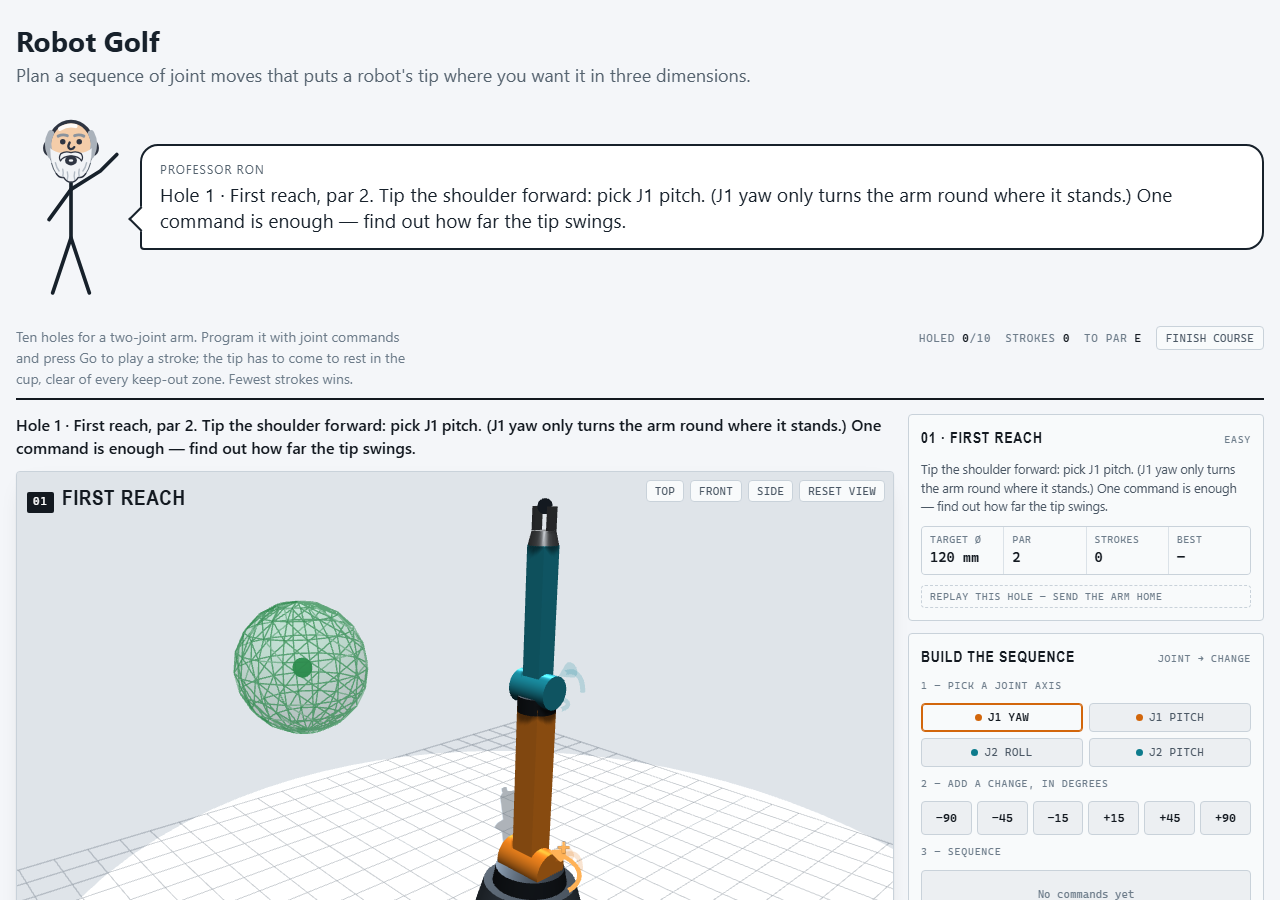
How it plays: the player programs a robot arm with two joints to bring the tip of its gripper to rest in the cup, in a 3D scene. They choose a joint, add changes in degrees, and press Go; each Go is a stroke, and each of the ten holes has a par. Later holes add red keep-out zones. Drag the scene to walk round it, scroll or pinch to zoom, or use Top, Front, Side and Reset view; from the keyboard, the arrow keys turn the view and + and − zoom.
Good for: applied STEM — joints, degrees of freedom, joint limits — from middle school to a first engineering course. It plays with no internet.
You type: nothing; the robot and the ten holes are the game type.