
The four stages
Each stage is its own page of steps.
- Collect measuresGet every course's semesters into the program's academic year — from the shared folder or from faculty files — and see who has not finished.
- Establish outcomes and mappingProgram outcomes and their targets, institutional outcomes, educational objectives, the program's courses, and which course outcome supports which program outcome.
- Generate reportsOutcome Summary, Course-PO Matrix, Completion Status, the institution's spreadsheet, the annual report, trends and course histories.
- Prepare accreditation documentsAn accreditation record, its checklist, and every section of the self-study, built from the data and finished with narratives.
Set up once
Before the first year, a department needs five things. None needs AI.
- A department folder everyone uses. File ▸ Open Department Folder, make a new empty folder on a shared or synced drive (beside another department's folder, never inside it) and choose it; Assessment+ asks before it creates anything. Then have everyone in the department open the same folder the same way. The department folder.
- You, as assessment coordinator: Tools ▸ Settings, your name and the role Assessment coordinator. Settings.
- The institution: First-Time Setup asks for its name the first time you open a program screen (or select the institution at the top of the tree and click Edit Institution…). Institution.
- The academic year and the program: Academic Years ▸ + New Academic Year (type the fall year, Quick Fill, OK), and Programs ▸ Add Program (its title and a short code such as BSIT). Academic years, Programs.
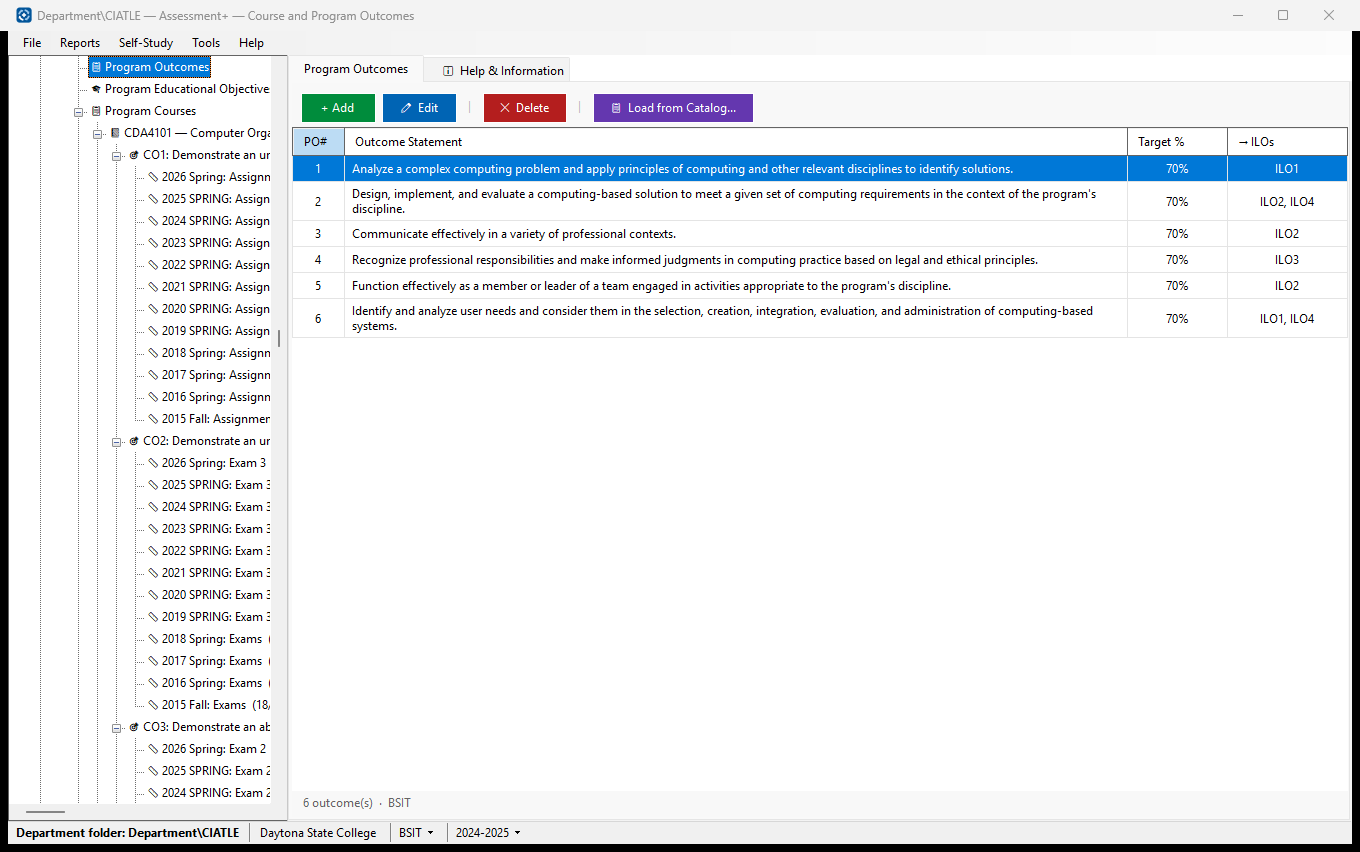
- The program's outcomes: Programs ▸ the program ▸ Program Outcomes, 📋 Load from Catalog... or + Add, each with its Target %. Faculty map their course outcomes to these, so they come before anything is collected. The details are in stage 2, task 2.
Already have last year's Learning Outcomes Assessment report as a document? File ▸ Import ▸ Import All from Report… can fill the institution, programs, courses, outcomes and mappings in from it (uses AI; nothing already there is overwritten). Import from Report.
The order of the stages
Collecting comes first because it is what each year starts with. Faculty map their own course outcomes to the program outcomes set up once (above), and the mapping travels with their course file. Stage 2 is where you complete and check that — institutional outcomes, objectives, the courses' details, and each course's mapping — before the year's reports in stage 3. A course outcome counts toward a program outcome only once it is mapped to one.
The program and year being worked on
Almost everything a coordinator does is for one program and one academic year, chosen in the two drop-downs in the status bar at the bottom of the window. Choosing a program or year in the tree chooses it there too. Check them before you import or make a report.
Start: 1. Collect measures